
Flow Design: Intuitive, Powerful, Flexible
The DMflow.chat intelligent chatbot platform is dedicated to lowering the development threshold. We provide an intuitive graphical node design interface, allowing you to easily build complex conversation flows by dragging and dropping like stacking blocks. Whether connecting multiple communication channels or flexibly calling external resources, it can all be done here in one stop, helping you create personalized user interaction experiences and significantly improve communication efficiency.
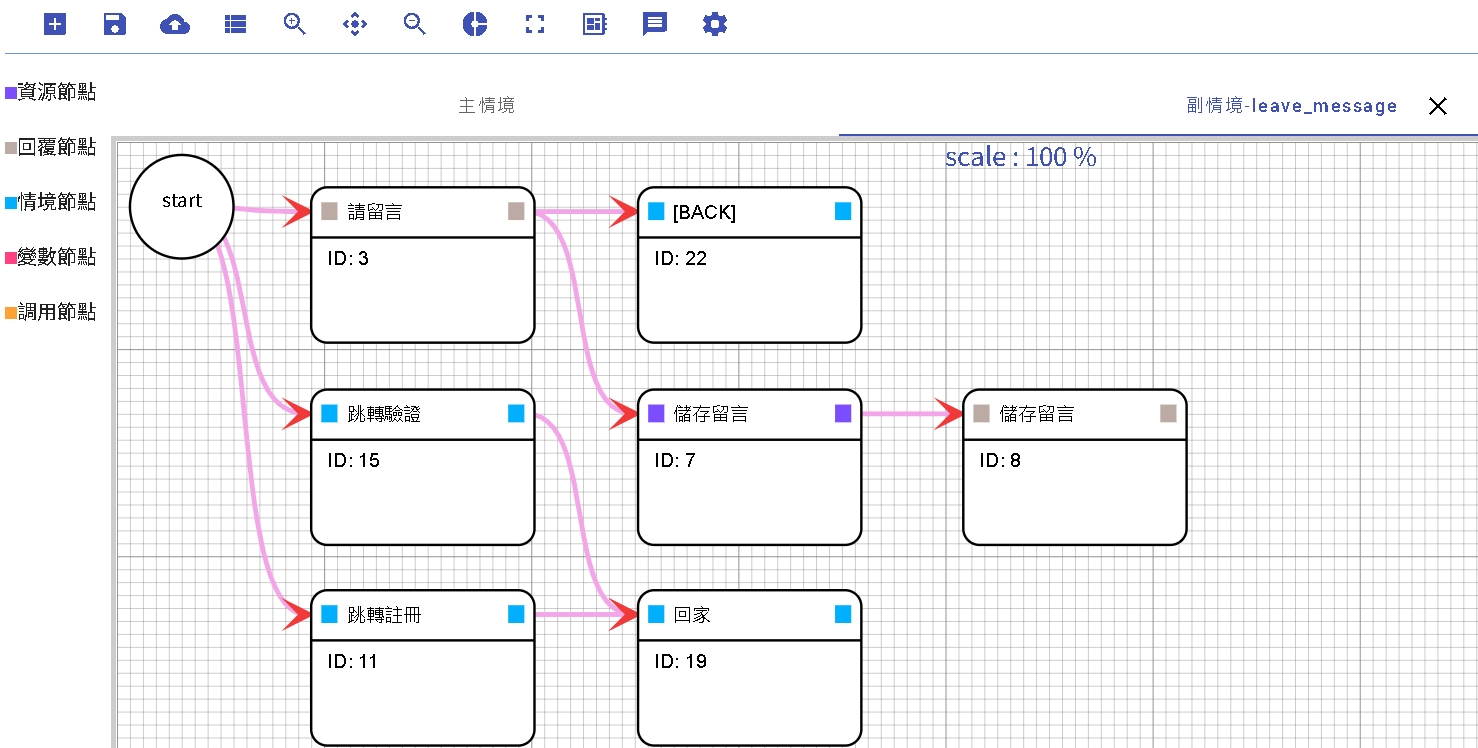
Core Features
- Drag-and-Drop Operation: Intuitive interface, connect logic nodes simply by dragging with the mouse.
- Cross-Channel Real-time Testing: Supports testing directly in third-party channels (such as LINE, Messenger) without repeatedly switching windows, making development smoother.
- Environment Isolation: Each channel provides “Test” and “Production” environments (except for the web version, which only has Production), ensuring your changes do not affect existing users.
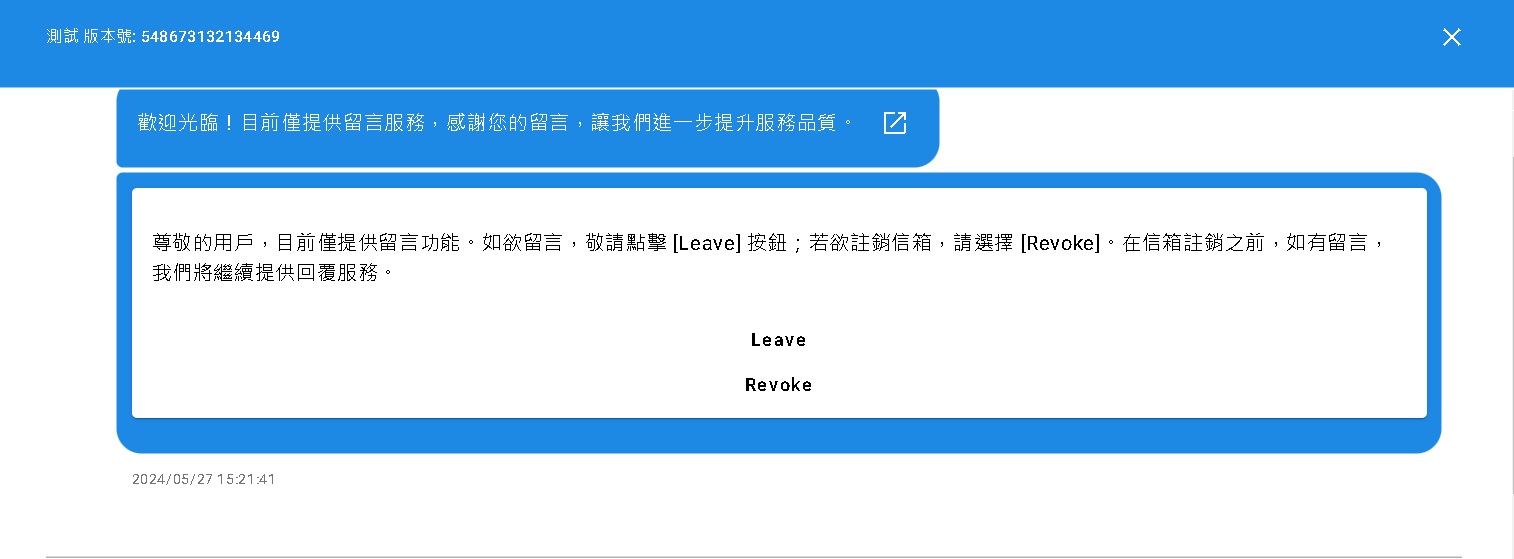
Channel Support and Limitations
Mainstream channels currently supported by the platform include:
- LINE
- Messenger
- Telegram
Channels no longer supported:
- Web
Notes:
- Telegram: Card templates currently do not support sending multiple cards.
- Output Restrictions: Bots default to using “Text” plus “Button” output forms. If richer presentation forms are needed (such as LINE’s Flex Message), “Custom JSON” output is required.
- Variable Injection: As of version 1.0.51, the Custom JSON feature has not yet implemented variable injection and can only output fixed JSON content.
Regarding the implementation of Flex Message, you can refer to the following tutorial (just note the difference in variable injection function): DMflow Bot Template Tutorial
Before Developing a Bot
Before starting to design a flow, there are several key concepts to clarify:
- Start Node ≠ Welcome Node: The “Start Node” is the logical starting point of the flow, but in some channels (like Telegram), it can be called at any time using the
/startcommand. - Reply Node Interruption Mechanism: Past versions relied on intent judgment within conditions, but the cloud version has removed the intent function. Now the purpose of this function has changed to: when the node experiences a Fallback (no conditions met), the system will look back for Branch conditions output by the Start node, and jump there if a condition is met.
- Powerful Slash Commands (/): When a user inputs a command starting with
/, it can force a scene jump.- Scenario Example: Suppose you ask the user in “Scene A”: “What is your message?”. At this time, the user suddenly wants to check data and inputs
/B. The system will jump to execute “Scene B”. After “Scene B” is finished, the system will automatically jump back to “Scene A” and ask again: “What is your message?”. This represents that turning to other nodes is a “temporary interruption”, not a cancellation of the current task.
- Scenario Example: Suppose you ask the user in “Scene A”: “What is your message?”. At this time, the user suddenly wants to check data and inputs
It is recommended that you operate alongside DMflow.chat to easier understand these concepts.
Node Types Explained
Resource Node
Resource nodes are bridges connecting to the outside world. It can take entities captured in the conversation as parameters to call external APIs and obtain return results.
- Sync Mechanism: Defaults to synchronous execution; the system will wait for the other server to respond before proceeding to the next step.
- Timeout Setting: Default timeout is 5~10 seconds.
- Internal API: Future calls to internal APIs will not be subject to this limit.
- Function Correspondence: Functionally equivalent to HTTP requests.
Reply Node
This is the core node for interacting with users. You can output content in different languages based on the language selected by the user. (Why not automatic translation? Because automatic translation of proper nouns is prone to errors, it is recommended to manage multi-language content through the “Domain” function).
- Random Answer: You can set multiple sets of answer copy, and the system will randomly select one to send, increasing conversation variety.
- Button Function: Button click actions are divided into three types:
| Button Type | Description |
|---|---|
| Text Button | After clicking, simulates the user sending a piece of text. |
| Link Button | After clicking, opens the specified web link. |
| Event Button | Triggers specific system behaviors (see table below). |
Event Button Types Explained:
| Event Type | Description |
|---|---|
| Ignore Event | Only displays button text; DMflow will not process anything after clicking. |
| Interrupt Event | After clicking, forcibly jumps to another scene. |
| Start Event | Returns to the Main Flow. |
| End Event | Ends the current Session. |
| Wake Up Event | When the bot is in “Listening Mode”, use this button to wake up the bot directly without a wake word. |
- Wait for User Reply: Check this option, and the flow will pause at this node until the next input from the user is received.
- Interrupt Start: When the user fails to hit the next node, the system will re-search from the start node to see if there are other nodes meeting conditions to enter.
Scenario Node
Scenario nodes are used to manage conversation flow and status.
| Function | Description |
|---|---|
| Interrupt | Puts the current scene to “Sleep” and calls other scenes. After other scenes finish execution, this scene will “Wake up” and continue execution. |
| Restart | Re-executes the current scene from the beginning. |
| Return to Main | Usually the main scenario is Main, but in some cases (like Messenger’s OPEN_THREAD), the main scenario setting might be changed. |
| Complete | Marks the flow as ended. Generally called automatically when a node ends, but in Branch Fallback cases, if you don’t want to display the system default error message, you can connect this node. |
| End Flow | Forcibly ends the entire flow. |
| Listen | When this node is called, the bot enters a “Listen Only” mode. However, if the message meets sub-flow conditions, the sub-flow will still be executed. It listens until the wake word is heard. Commonly used for monitoring specific commands or implementing cross-channel chat. |
| Jump | Jumps directly to the specified reply node (the reply node must have “Wait for user response” checked). |
Call Node
Call nodes encapsulate product-provided API functions into nodes for easy direct use.
Currently provided functions include:
- Domain Call: Use AI Agent or other domain skills.
- Event Registration: Provides subscription registration for the broadcast function.
- Event Registration Cancellation: Cancel broadcast subscription.
- Link Account: Link third-party channel accounts to DMflow.chat accounts.
- Human Agent: Transfer conversation to a human agent.
Variable Node
Used for data processing. Parameters obtained can be injected into “Tags”, “User Profile”, and “Session Storage” to achieve data transmission and memory.

