
Chat Tools: More Than Just Chatting
In DMflow’s definition, “Chat” (Gossip) is a powerful interface integrating Document QA, Form QA, and various practical tools. By configuring different tools, you can evolve your bot from a simple conversationalist to an AI assistant capable of handling complex tasks.
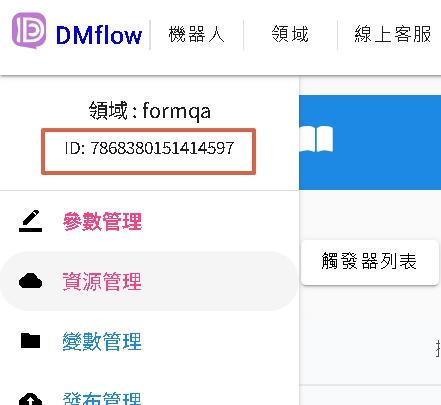
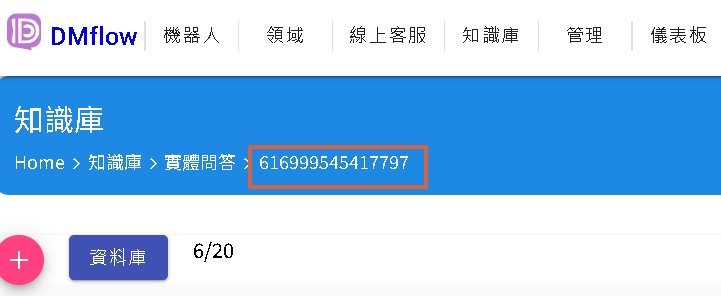
Tips for Obtaining Parameters: Domain ID and Table ID
When using many tools, you need to fill in domain_id or table_id. The system usually provides automatic suggestion functions, but if you are using newer tools, you may need to manually look them up.
Please refer to the image below to get these IDs:
Tools Explained
search_table (Form Query)
| Parameter | Description |
|---|---|
| domain_id | Select the domain containing the form (must be a Form QA type domain). |
| table_id | Select the target form ID. |
This tool allows the bot to query form content via SQL syntax.
- Permission: Search results are limited by “Guest Permission”. You can go to Form Permissions to configure.
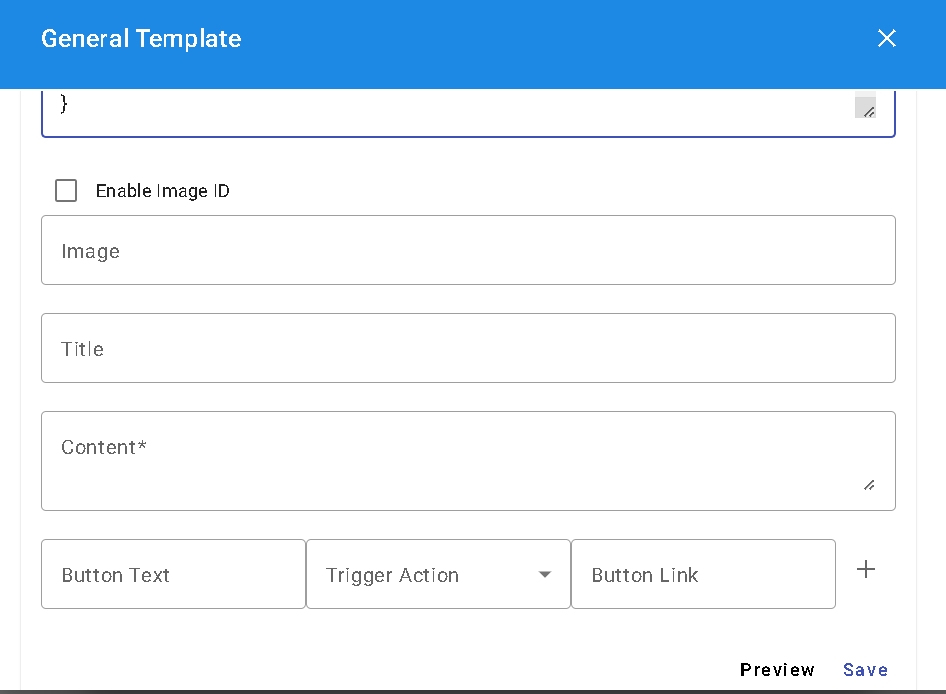
- Presentation: Supports integrated CARD output, making results more beautiful.
- Preview: You can click Preview to preview search results and corresponding fields.
rate_conversation (Rate Conversation)
When the system determines that the customer has an intention to end the conversation or leave, this tool can be called to ask the customer if the conversation was “helpful” or “not helpful”. These feedbacks will be automatically recorded in the system log as a basis for optimization.
search_knowledge (Knowledge Base Search)
| Parameter | Description |
|---|---|
| domain_id | Select Document QA domain. |
| description | Describe the keyword or question you want to search. |
Using this tool, the bot will automatically call the content of Document QA (DocQA) to answer user questions.
collect_user_info (Collect User Info)
This tool is used to update the user’s profile:
usernameemailphone
As long as the above parameters are set to true, the bot will attempt to extract and update this information from the user’s answers during the conversation.
create_table_data (Add Form Data)
| Parameter | Description |
|---|---|
| domain_id | Form QA domain. |
| table_id | Target form ID. |
| trigger_id | Specify trigger ID. |
- Permission Exception: Calling this tool does not require setting the form’s write permission, as long as the role has “Insert” permission, it can be executed.
- Linkage: After successful data insertion, the specified trigger (Trigger) will be automatically called.
human_agent_help (Human Agent Support)
When the user explicitly expresses the need for a human agent, or the AI cannot handle it, this tool will trigger the Fallback mechanism and automatically record the visitor’s question into “Shared Notes”, convenient for human agents to take over.
auto_suggestion (Auto Suggestion)
When enabled, the system will automatically append up to three recommended follow-up questions below the answer to guide the user to continue the conversation.
googlemap_routes_api (Route Planning)
- api_key: Please encrypt and fill in on the settings page first.
- limit: Search result quantity limit. Max is 25, default is 25. You can set it yourself from 1-25.
- Logic: The system will first calculate the straight-line distance, filter out the nearest locations, and then call the API for route calculation.

custom_service (Custom API)
Allows you to call external APIs.
- Limit: Return Payload size must not exceed 4K (CJK character length counts as 1, other languages about 3-5 letters count as 1).
| Parameter | Description |
|---|---|
| resource_id | Resource Node ID. |
| name | functionName (corresponding to LLM calling tool name). |
| description | function Description (corresponding to LLM calling tool description). |
| parameters | Define parameter structure: {name, description, type, require, enums}. |
Parameter Setting Description:
- type: Supports
string,number,boolean,string_array. Object arrays are currently not supported. - enums: Option values can be separated by
|, e.g.,Chinese|English|Japanese.
suggestion_items (Product Search)
Find and recommend relevant products through the built-in product search engine.
search_reserve_range (Reservation Query)
- Prerequisite: Must select a form containing “Reservation Component”.
- Parameters:
domain_idtable_iddescription: Let the LLM clearly understand the object you want to reserve.
collect_user_tag (Collect User Tag)
Automatically tag visitors based on conversation content.
- Format:
{name: string, description: string}[] - Logic: If the tag name already exists in the visitor tag library, it will be added.
get_form_link (Get Form Link)
Get an external form link bound to the visitor’s identity, convenient for visitors to fill out complex data on the web page.
- Parameters:
array name,description,table_id
code_geodesic (Lat/Long Calculation)
Use code algorithms to determine distance between latitude and longitude, without calling external map APIs.
store_memory (Memory Access)
Manage visitor’s persistent memory. Supports save, query, and remove operations.

