
Integrating Telegram into DMflow
Telegram is known for its openness and powerful Bot API. Through the following steps, you can quickly create and connect a Telegram bot to the DMflow platform.
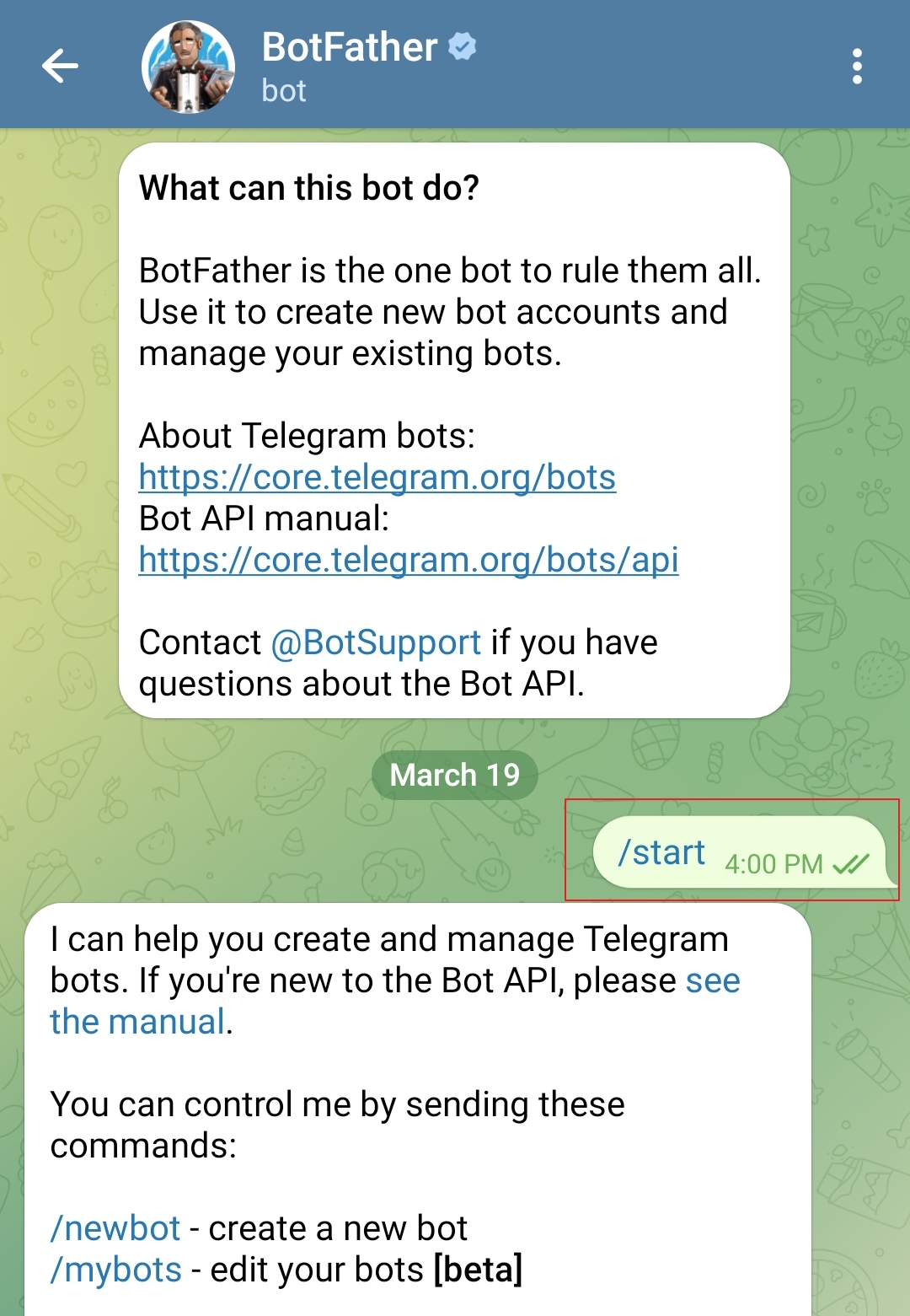
Step 1: Find BotFather
All Telegram bots are managed by the “Father of Bots” — BotFather.
- Open Telegram App.
- Enter
BotFatherin the search bar. - Click the account with a blue checkmark verification and press Start.
Step 2: Create New Bot
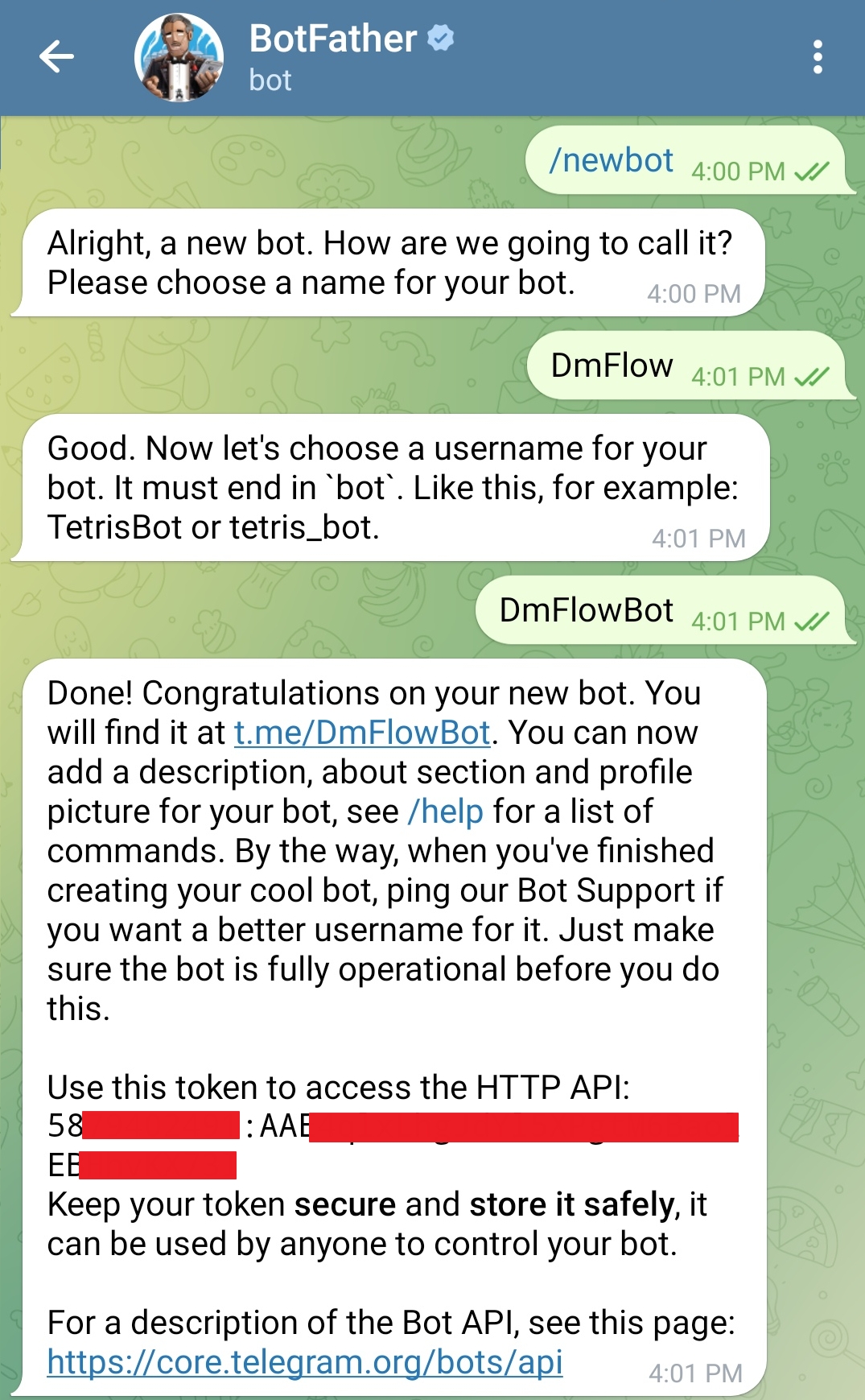
- Enter command
/newbotin the chat. - Set Display Name (Name): BotFather will ask you to enter the bot’s name (e.g.,
My Super Bot). - Set Username: Next, enter a unique Username. Note: Must end with
bot(e.g.,dmflow_demo_bot). - Upon success, BotFather will give you an API Token (red masked area in the image below). Please keep this Token safe and do not leak it.
Step 3: Group Settings (Privacy Mode)
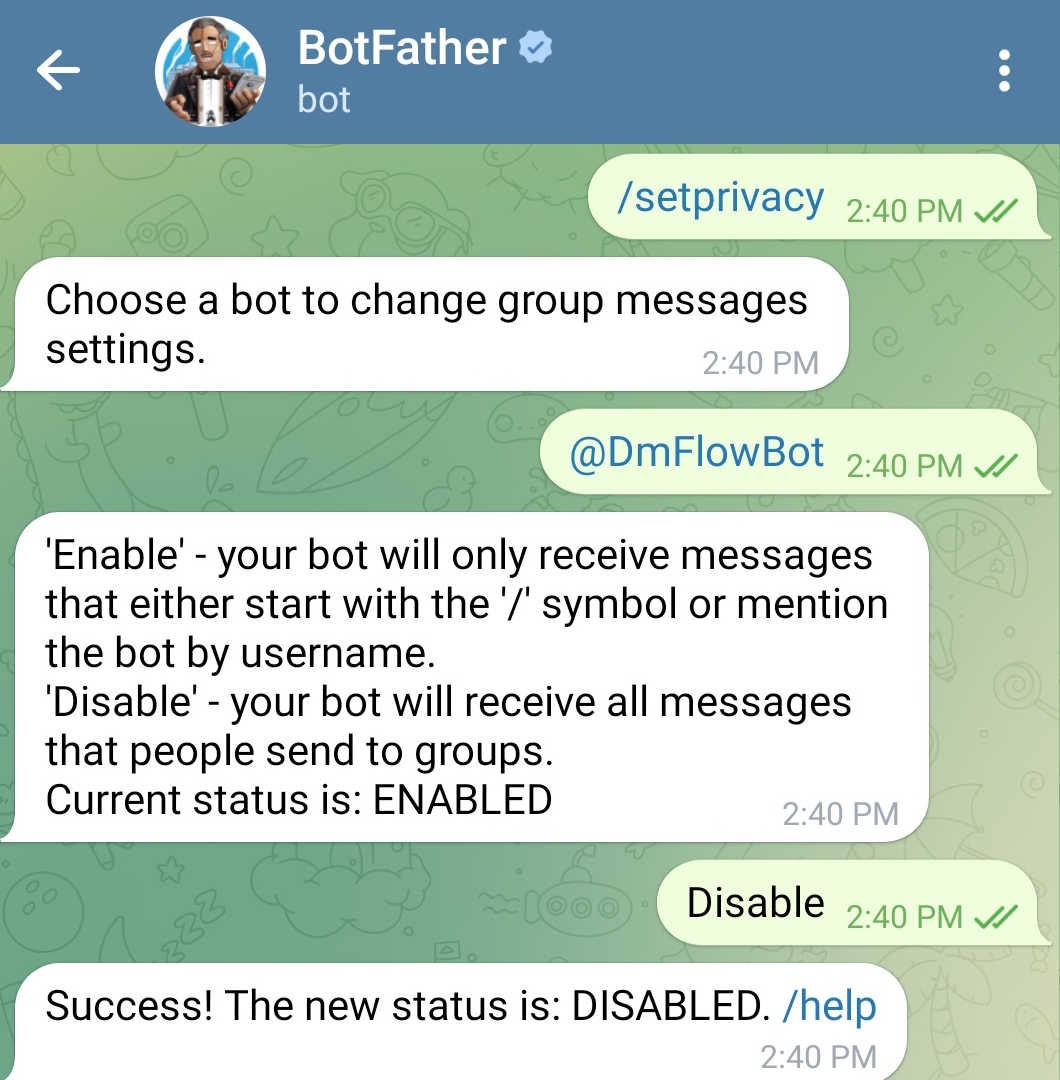
If you want the bot to receive all messages in a group (not just commands starting with /), you need to disable privacy mode.
- Enter
/mybotsto BotFather. - Select your bot.
- Click Bot Settings -> Group Privacy.
- Select Turn off.
Step 4: DMflow Backend Settings
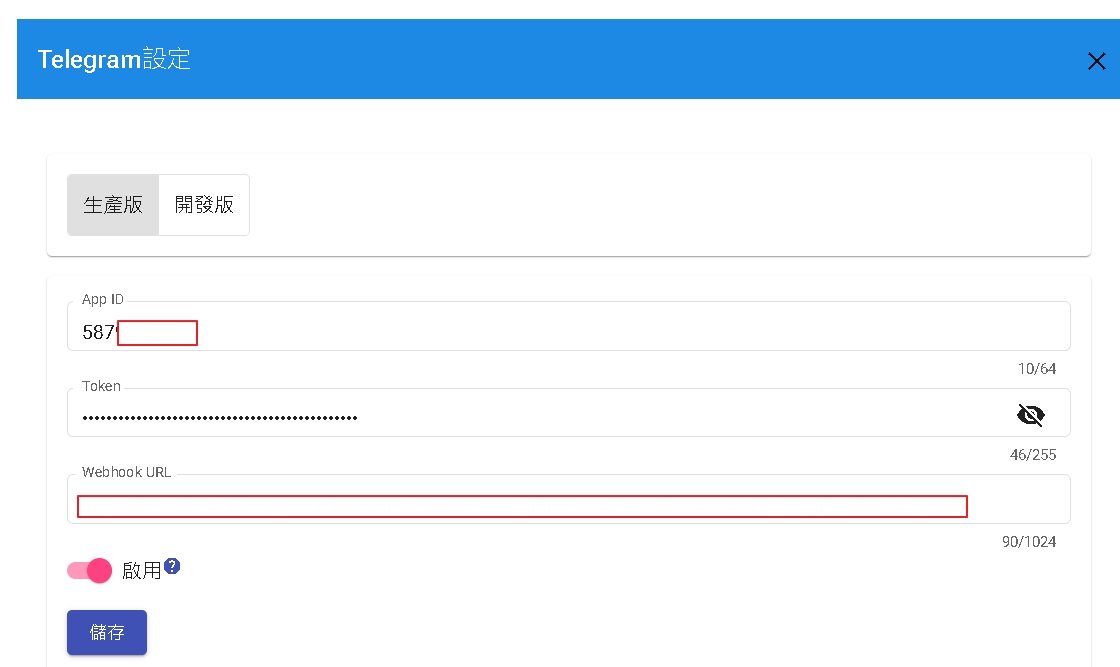
- Login to DMflow system.
- Go to Settings -> Third-party Integration -> Telegram.
- APP_ID: Fill in the pure numbers before the colon in the Token (e.g.,
58XXXXXXXX). - Token: Fill in the complete Token string.
- Check Enable and save. The system will automatically verify if the Token is correct.
Advanced: Manual Webhook Operation
Usually, DMflow will automatically set up the Webhook for you, but if you need manual operation, you can refer to the following API:
Set Webhook:
{
    "url":"{{Webhook URL}}"
}
https://api.telegram.org/bot/setWebhook?url={{Webhook URL}}
Delete Webhook:
https://api.telegram.org/bot{{token}}/deleteWebhook
Please replace {{token}} and {{Webhook URL}} with your actual values.

