
HTTP Node: Expansion Interface for Conversation Flow
Before using the HTTP node, we need to complete the basic configuration in the external “Resource Management” and “Variable Management” interfaces. It’s like preparing ingredients (variables) and recipes (resources) before cooking (calling in the flow).
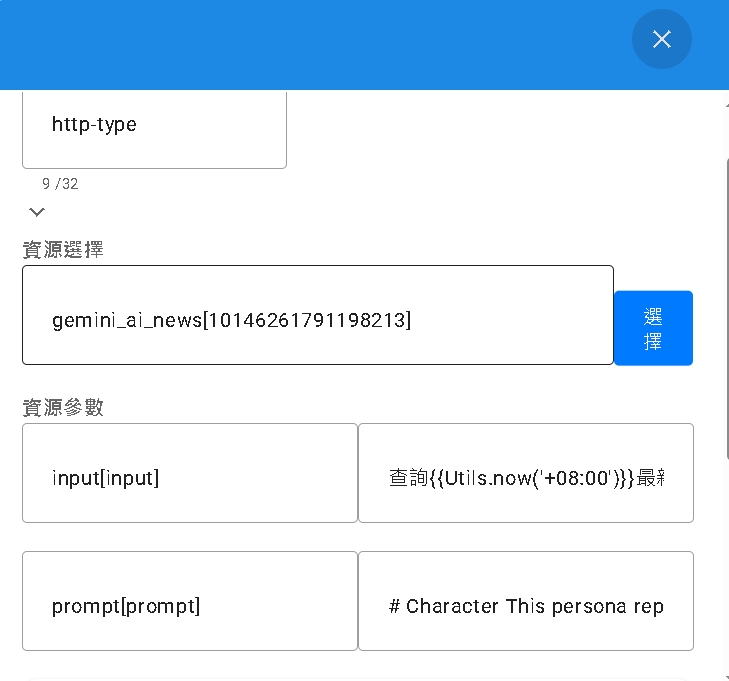
Variable and Resource Management Concepts
| Item | Function Description |
|---|---|
| Variable Management | In the conversation flow, variables are used to manage and cache data. They can be parameters passed to the API, or used to receive results returned by the API. |
| Resource Management | Responsible for defining how to connect to external APIs. Through resource nodes, you can achieve business logic like querying data, modifying status, accessing external databases, maximizing the expansion of the conversation system’s capabilities. |
1. Variable Management (Variables)
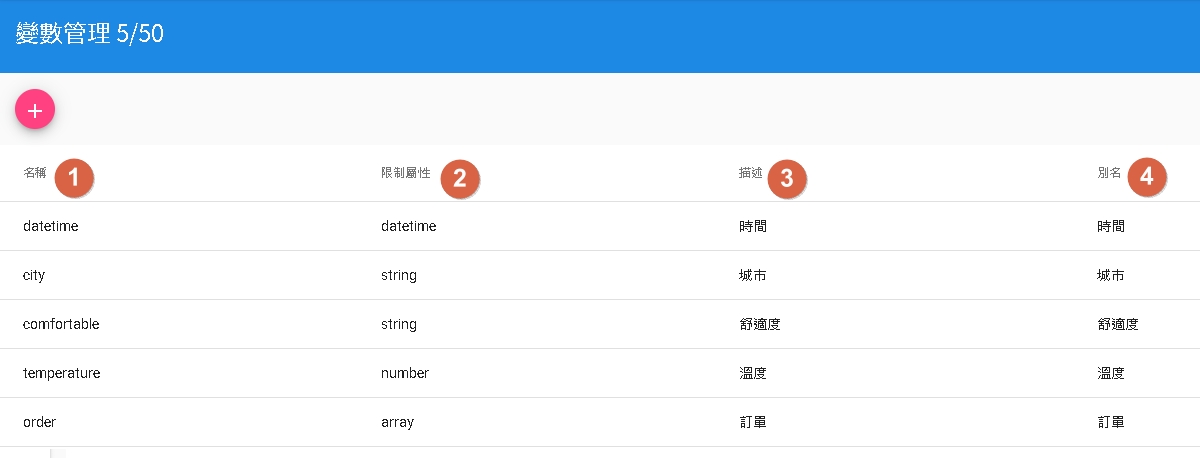
When setting variables, there are several key fields:
- Name: Unique identifier of the variable, recommended to use English naming (e.g.,
user_id,order_price). - Data Type: The system supports multiple data types, please choose correctly according to needs:
String: Text information.Number: Numerical calculation use.Datetime: Timestamp.Boolean: True/False value.Object: Complex structured data (JSON).Array: Collection of multiple values.
- Description: Note the purpose of the variable, convenient for team collaboration.
- Alias: Optional attribute. Give the variable a readable Chinese name (e.g., naming
priceas “Price”), which will be more intuitive when designing flows.
2. Resource Management (Resources)
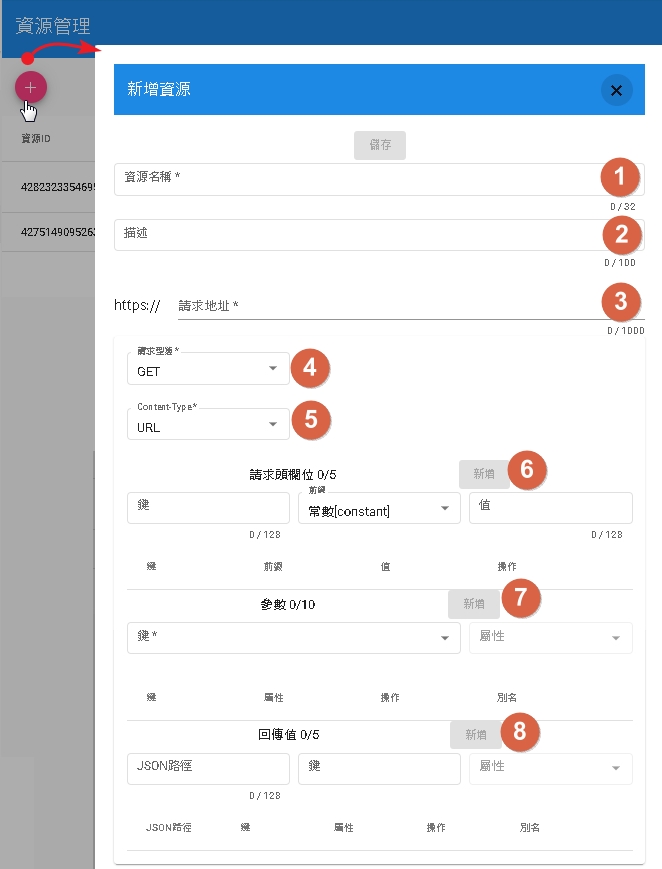
In resource management, you need to define the specific calling method of the API:
- Resource Name: Use English naming.
- Request Address (URL): Complete API URL, must include
httpsprotocol. - Request Method: Supports
GET,POST,PATCH,PUT,DELETE. - Content-Type: Specify content type. Commonly used are URL encoding or JSON format (
application/json). - Headers:
- Can select
constant: Fixed Header, such as API Key. - Can select
user(User Parameter): Currently only supports Chat/Gossip conversation, Form QA does not support yet.
- Can select
- Parameters: Fill in parameters to be sent according to Content-Type. These parameters will be injected when the flow executes.
- Response: Define how to handle data returned by the API. You can specify JSON Path to extract values and inject them into specified “Variables”.
Parameter Passing Example
Suppose there is a parameter city representing a city:
- If Content-Type is URL (application/x-www-form-urlencoded):
The system will concatenate it after the URL in the form of
&city=urlEncode(City). - If Content-Type is JSON (application/json):
The system will pass it in the Body in the JSON format of
{"city": "City"}.
Return Value Extraction and JSON Path Tutorial
Suppose the JSON returned by the API is as follows:
{
  "city": "Taipei",
  "obj": {
    "apple": "Apple"
  },
  "order": ["OrderA", "OrderB"]
}
If you want to extract data to inject into variables:
- Extract City: JSON Path fill in
city. - Extract Apple: JSON Path fill in
obj['apple']. - Extract First Order: JSON Path fill in
order[0].
After setting the JSON path, select the corresponding variable (e.g., variable my_city) in the “Key” field, and the system will automatically store the extracted value into that variable for use in subsequent flows.

