
DMflow 1.0.58 Update Explained: New Chat Interface, Step-by-Step Form, and Flex Message Editor
Creation at: 2025-11-25 | Last modified at: 2025-11-25 | 5 min read
DMflow 1.0.58 Update Explained: New Chat Interface, Step-by-Step Form, and Flex Message Editor
Updated on November 17, DMflow.chat has released version 1.0.58 featuring major upgrades. From a refreshed chat interface and conversion-boosting step-by-step forms to a powerful built-in Flex Message visual editor, this update greatly enhances user experience. With new AI Tool Confirmation and Smart Routing features, businesses can now build even more accurate automated customer service flows.
For any business relying on conversational marketing or automated customer service, the pace of tool iteration often determines service quality. In the latest 1.0.58 update, DMflow.chat not only fixes bugs, but also introduces a series of upgrades focused on user experience and operational intuitiveness. This update covers both frontend visuals and backend logic, making interactions between users and bots smoother and more flexible.
This article breaks down the highlights of the update and shows how these features can be applied to real business scenarios.
1. Visual Experience Upgrade: New Chat Window & Share Page
First impressions matter. This update brings a full redesign of the chat window, the interface users interact with most directly.
A Fresh New Chat Interface
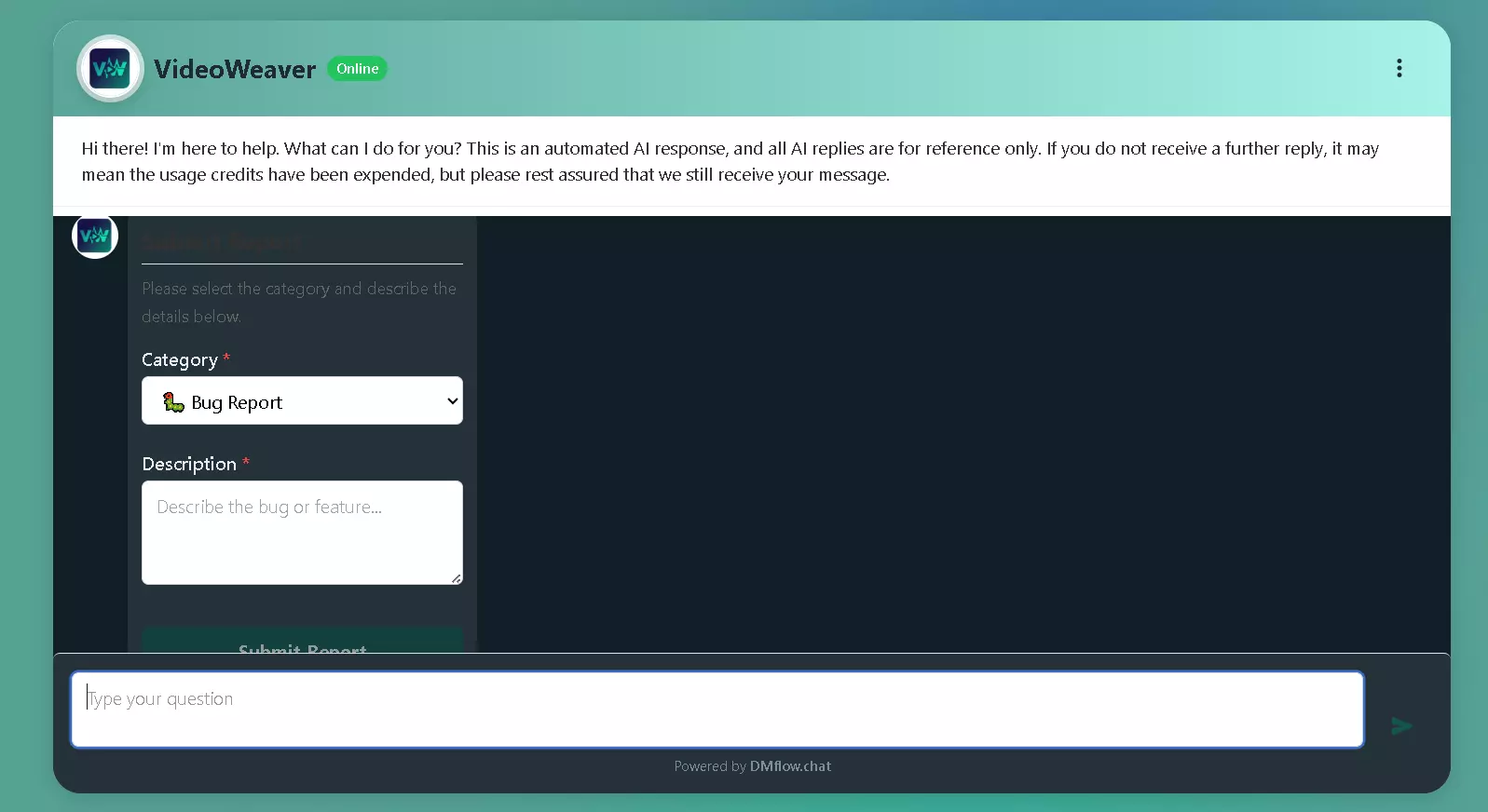
Previously, the chat window was more function-oriented. The redesigned Web Chat Window now features cleaner lines, softer color tones, and a more structured layout. Beyond aesthetics, the goal is to reduce visual fatigue—especially important when conversations involve long text or complex options. A clearer interface guides user attention and enhances overall engagement.

Dedicated Customer Service Share Page
In addition to the embedded chat widget, DMflow has improved the standalone chat share page. This is especially useful when guiding customers from email, SMS, or social media into an exclusive conversation space.
Imagine a support agent needing to move a customer into an online chat for a complex issue. Instead of asking them to “find the chat bubble on the website,” sharing a beautifully branded standalone chat link feels far more professional. The page is fully responsive across desktop and mobile for a consistent experience.

2. Form Functionality Evolution: Step Mode for Higher Completion Rates
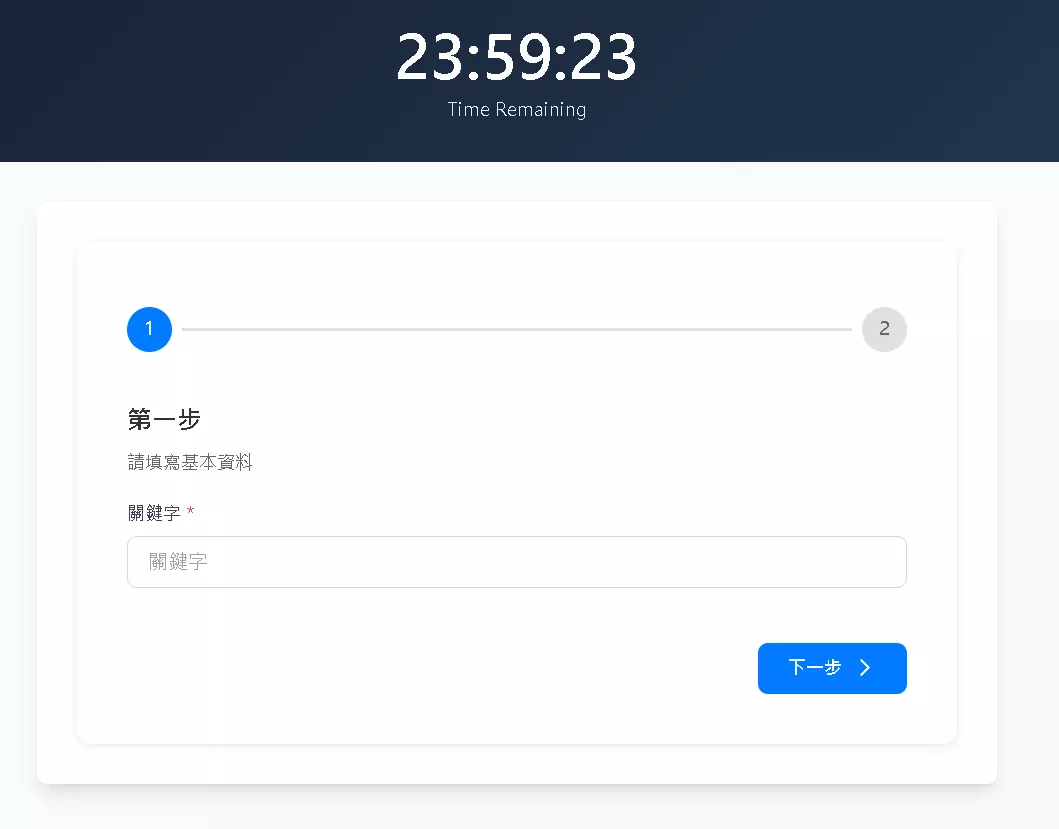
Collecting customer information is one of a chatbot’s core tasks, but long forms often kill conversions. DMflow 1.0.58 introduces a new Step Mode for forms—seemingly small, yet highly impactful.

Why Use Step Mode?
Psychological studies show that breaking complex tasks into small steps significantly reduces user friction. The new form system lets creators split long forms into multiple step pages.
For example, instead of asking for name, phone, email, service needs, and budget all at once, you can design:
- Step 1: Basic contact details
- Step 2: Choose service needs
- Step 3: Review and submit
This “gamified” progress flow helps users complete forms with less hesitation, increasing conversion rates for appointment booking, surveys, or lead generation.
3. Built-in LINE Flex Message Editor: What You See Is What You Get
This may be the most exciting feature for marketers and developers alike. Traditionally, creating LINE Flex Messages required using external editors and manually managing JSON—a tedious and error-prone process.
Edit Flex Messages Directly in DMflow
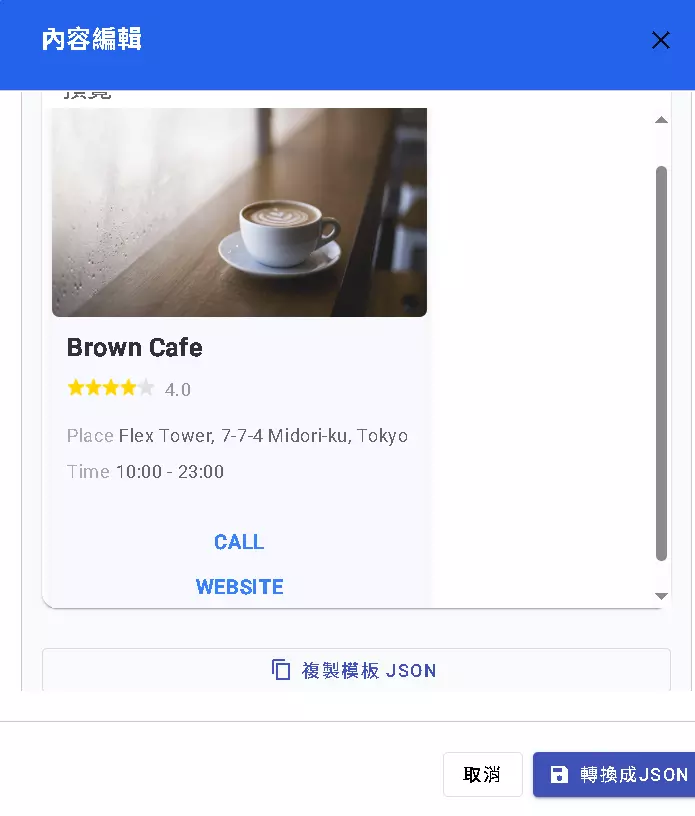
DMflow now includes a fully integrated Flex Message Editor, allowing users to visually modify layout, text size, images, and buttons directly in the workflow—no coding required. Anyone can easily create visually rich cards similar to Uber Eats order confirmations or high-speed rail tickets.
Web Flex & Form Input Support
Even better, Flex Messages are no longer exclusive to LINE. The update introduces Web Flex Message Form Input.
This means that even in a web chat window, bots can send beautifully designed cards with embedded input fields. Users can enter text, pick dates, or input numbers directly inside the card—no page redirection or plain text commands required.
This bridges the gap between web chat experiences and native app-level UX.
4. A Safety Valve for AI Tool Calls: Confirm Tool Dialog
As LLM-based automation becomes common, AI often executes tasks such as booking appointments or checking orders. However, AI can sometimes act prematurely or misinterpret intent.
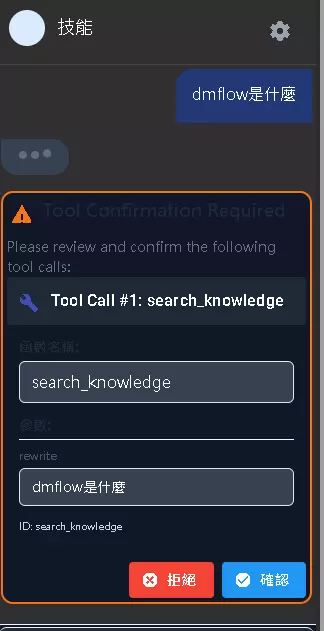
To build trust, version 1.0.58 introduces the Confirm Tool Dialog.
When AI determines it should trigger a tool (e.g., “cancel order” or “issue refund”), the system will not execute it immediately. Instead, a confirmation window pops up, showing the action and parameters for verification.
- Risk of full automation: AI might misinterpret and delete data.
- With confirmation: The bot asks, “I’m about to cancel order #12345. Would you like to proceed?”
This ensures sensitive operations remain secure.
5. Smart Routing: Unmatched Messages Go to Inbox
Automation fails most often at the edges—when a message doesn’t match keywords or doesn’t trigger any workflow.
To ensure nothing gets lost, unmatched messages are now routed to the Inbox by default. This allows support teams to easily review anything the bot can’t process and manually intervene. These messages are also valuable data points for improving scripts and training AI.
Full support for Instagram/Facebook auto-reply is added — unmatched messages can now be handled uniformly through the Inbox.
Frequently Asked Questions (FAQ)
Q1: What are the use cases for Web Flex Message Form Input? It’s ideal for real-time interactions. For example, in an e-commerce scenario, when users ask about shipping fees, the bot can send a Flex card requesting their postal code—users fill it in directly on the card, and the fee is calculated instantly without redirecting or typing commands.
Q2: Does Step Mode support conditional logic? Yes. While its primary purpose is to break long forms into steps, it works seamlessly with DMflow’s workflow logic—so later steps can adjust based on the user’s previous answers.
Q3: Is Confirm Tool Dialog enabled by default? It depends on your Tool configuration. Read-only operations don’t need it, but for any write/delete operation (editing bookings, deleting accounts), enabling it is strongly recommended.
Q4: Can we still use old LINE Flex Message JSON? Absolutely. The editor maintains full compatibility. You can paste existing JSON and then fine-tune it visually.
Conclusion
Software development never stops. The DMflow 1.0.58 update shows the team’s commitment to balancing polished UX and operational safety. Whether it’s the intuitive Flex editor or the friction-reducing Step Mode, each enhancement contributes to a more mature and reliable product.
For businesses seeking a more flexible, visually refined, and safer conversational solution, this update delivers compelling reasons to upgrade.

