
Building a Ticketing System for Chatbots: Best Practices for Customer Support Transfer
Overview
Designing a ticketing system using dmflow.chat can effectively handle complex issues that chatbots cannot resolve, seamlessly transferring them to human agents. When even human agents face challenges, the ticketing system ensures issues are tracked and resolved through its center. This article explores how to use form design, triggers, and permission management to create a simple yet practical customer support ticketing center.
Why Chatbots Need a Ticketing System
Modern businesses often rely on chatbots to handle frequent customer inquiries. However, when an issue involves specialized knowledge or falls outside the chatbot’s capabilities, transferring to a human agent becomes necessary. A ticketing system records the issue, tracks its progress, and assigns responsibility, ensuring that no problem is overlooked or delayed.
Practical Steps to Design a Ticketing System with dmflow
1. Design Essential Forms
-
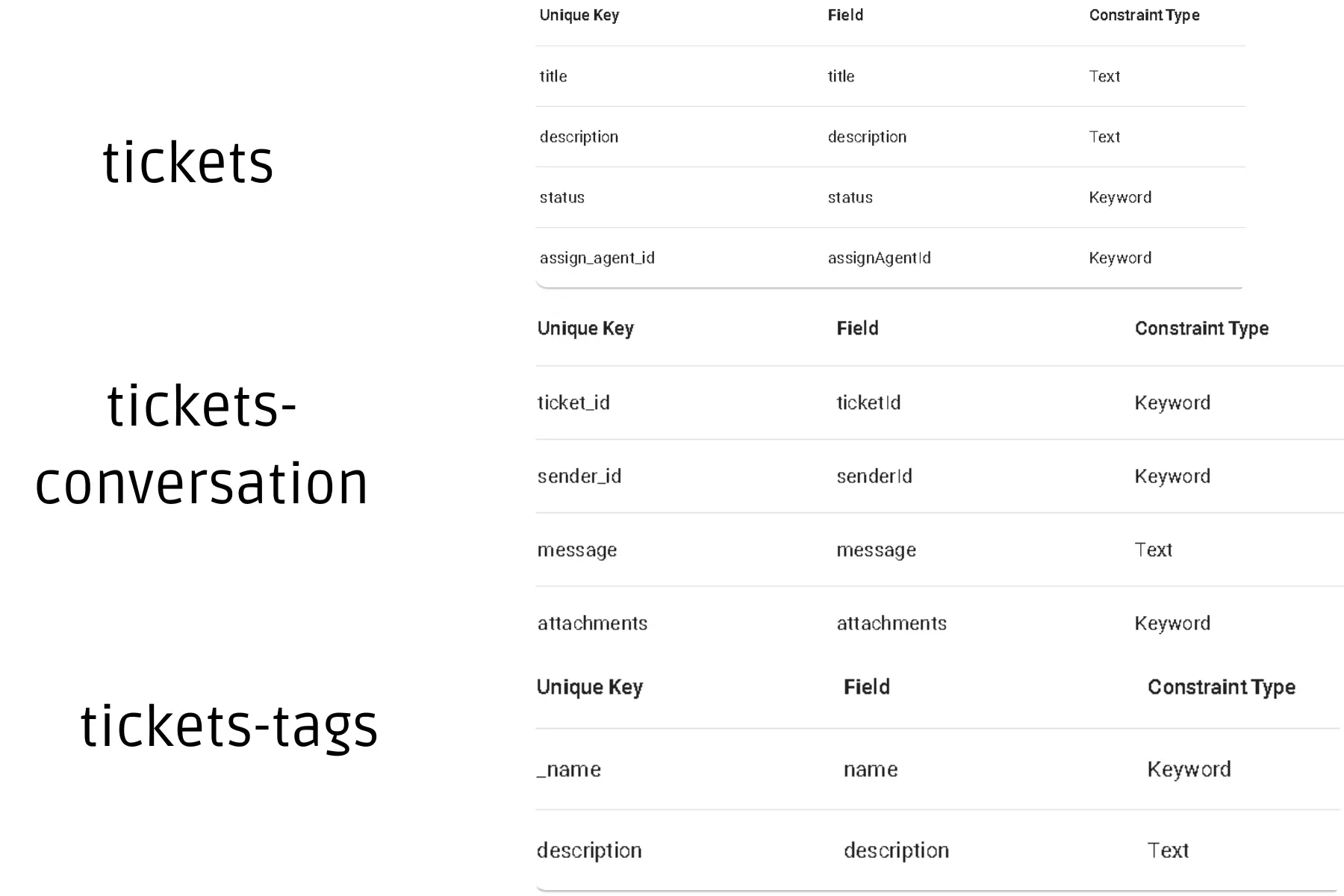
Tickets
-
Field Design:
-
title: (Text) Name of the issue -
description: (Text) Description of the issue -
status: (Keyword) Default options:new, open, in_progress, resolved, closed(default:new) -
assign_agent_id: (Keyword) Assigned agent’s email as ID
-
-
Field Design:
-
Tickets-Conversation
-
Field Design:
-
ticket_id: (Keyword) Unique ID linking to the tickets form -
sender_id: (Keyword) Sender ID (email as ID) -
message: (Text) Message content from customer or agent -
attachments: (Attachment) Optional, for storing related files
-
-
Field Design:
-
Tickets-Tags
-
Field Design:
-
name: (Keyword) Tag name -
description: (Text) Purpose of the tag
-
-
Field Design:
Example Form Design:
2. Configure Ticket UI Components
-
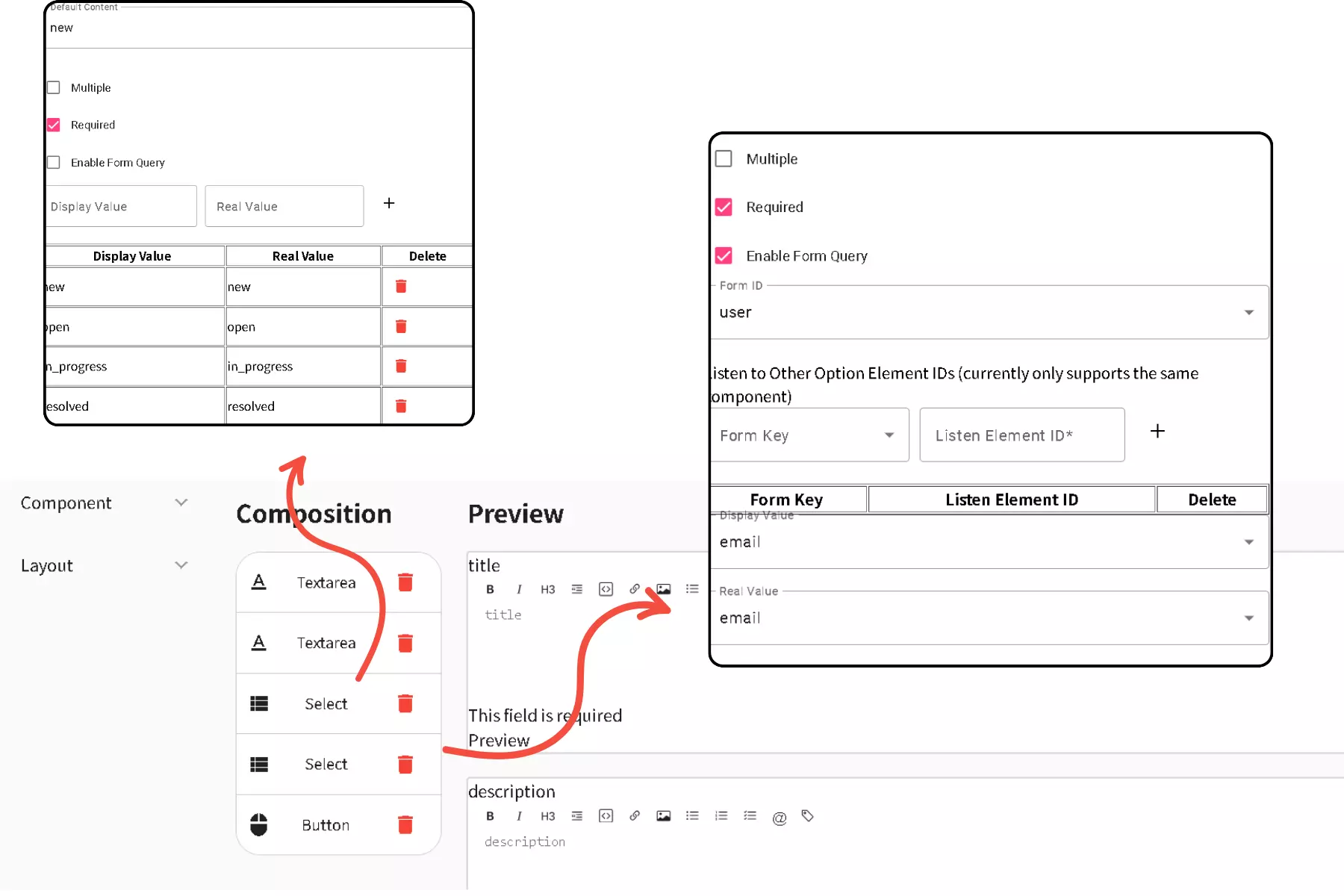
Tickets Form Component Design
- Set
statusas a dropdown with fixed options:new, open, in_progress, resolved, closed. -
assign_agent_idcan reference another form’s field, such as theemailfield in theuserform.
- Set
-
Tickets-Conversation Form Component Design
- Hide the
ticket_idfield to ensure automatic association (though visible in this example for demonstration). - Remove the
sender_idfield, using triggers to auto-fill the value. - Set the
attachmentsfield to allow file uploads.
- Hide the
Example:
3. Adjust Field Display and Design
-
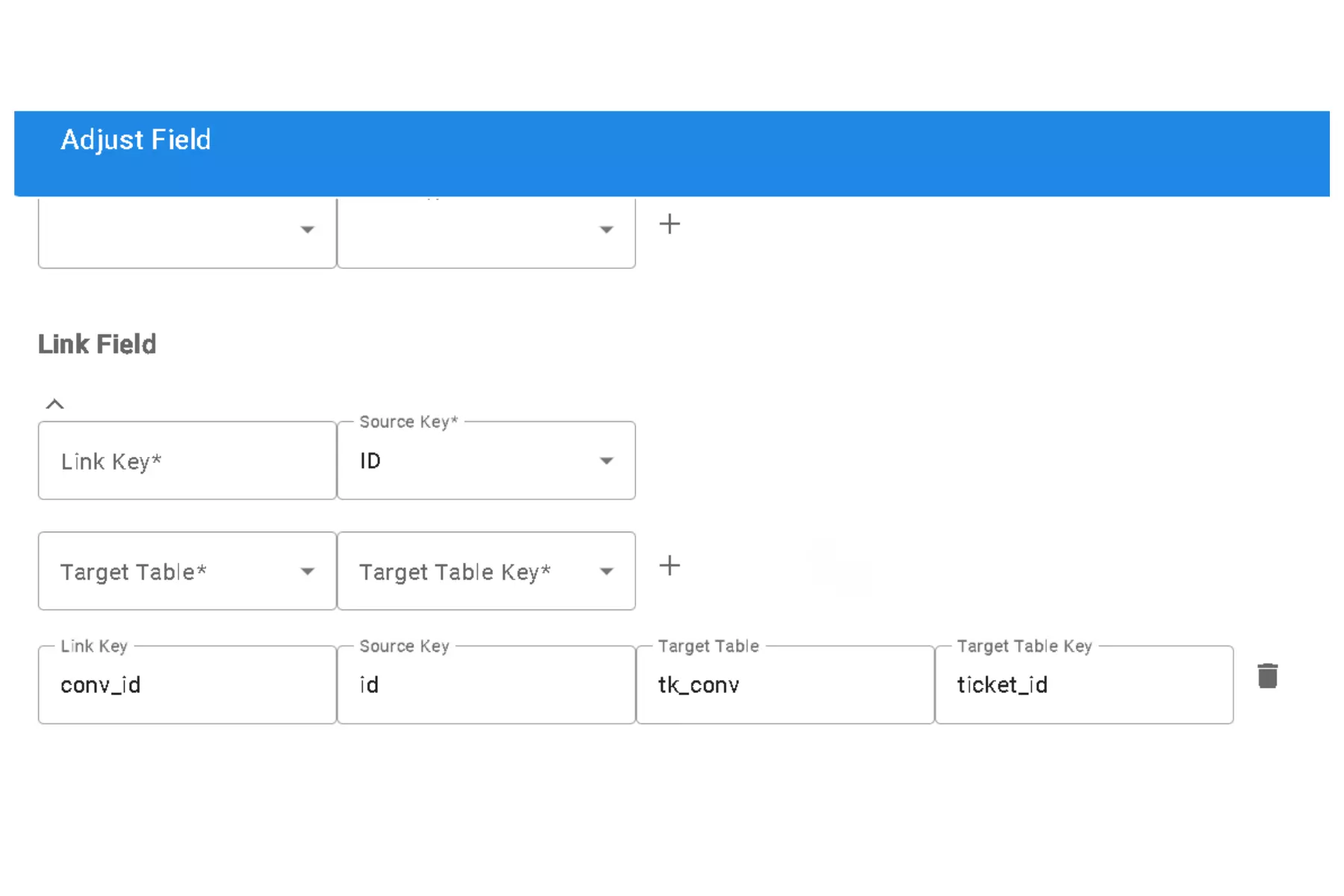
Field Adjustments
- Add a custom field
conv_idfor flexible data management and filtering. - Use
tk_convas a shorthand for thetickets-conversationform due to naming length constraints.
- Add a custom field
-
Tickets-Conversation Form Design Adjustments
-
ticket_idField:- Can be hidden for automatic ticket linking (left visible for demonstration).
-
sender_idField:- Remove manual input; use triggers to auto-fill sender information.
-
attachmentsField:- Enable file uploads for better issue tracking.
-
Example:
4. Set Permission Management
-
Tickets Form
- Anonymous Visitors: Can create tickets but view only their own.
- Registered Users: Can create tickets and view their own or all tickets (depending on role).
-
Tickets-Conversation Form
- Registered Users: Can add conversation records, with permissions based on ticket ownership.
-
Tickets-Tags Form
- Registered Users: Can view all tags.
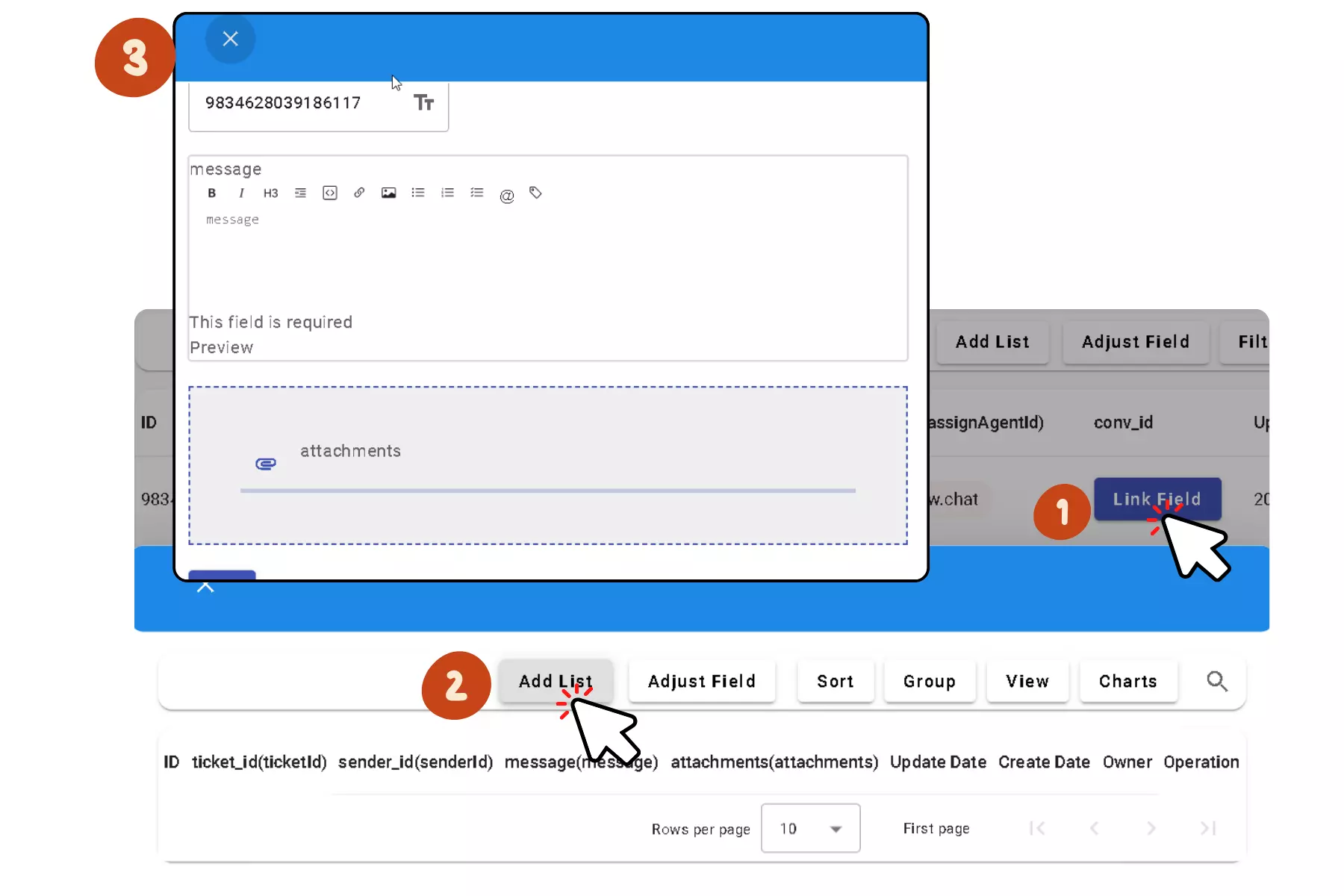
5. Enable Automated Notifications and Filtering
- Use triggers to notify the assigned agent (
assign_agent_id) when a new ticket is created. For more flexibility, custom HTTP callbacks can be implemented. - Filter ticket conversations by clicking
ticket_idto display relevant discussions, improving efficiency.
Example:
Real-World Application
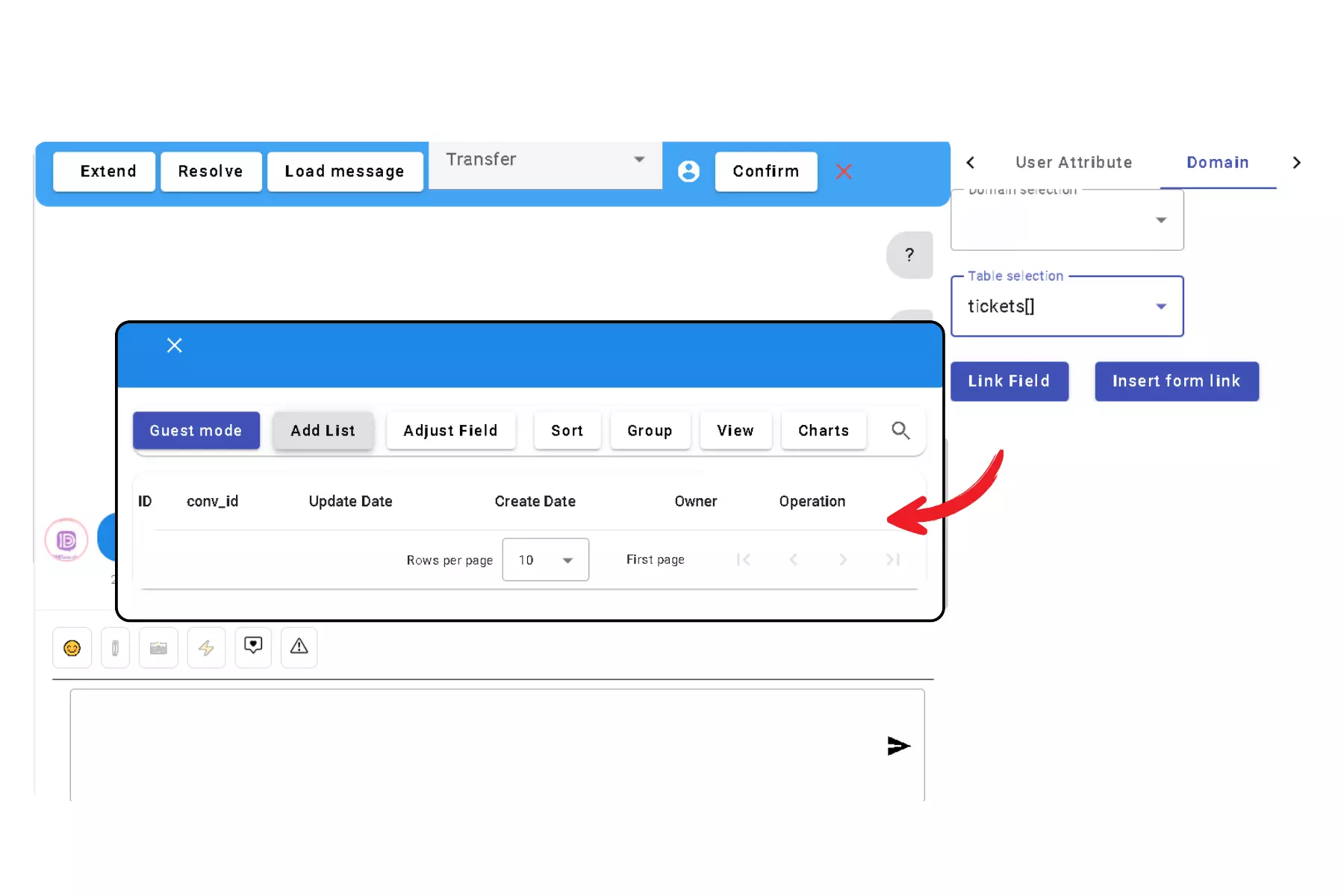
When customers encounter unresolved issues during a chat, they can create a ticket and assign it to the appropriate specialist. Ticket status updates and conversation records ensure transparent tracking and satisfactory resolutions.
Example:
Notes
- Each form supports up to 500 entries per day; allocate resources accordingly.
- dmflow’s form functionality is auxiliary and doesn’t support real-time synchronization for concurrent data edits, so manage data consistency carefully.
Conclusion
Building a simple ticketing system with dmflow enhances customer support operations and bridges the gap between automation and human expertise. Integrating automation and AI creates a smarter, more efficient support center.
Try dmflow.chat for more functionalities!